A Guide to Basic Discord Economy Commands: Setting Up Work, Hustle, and Crime
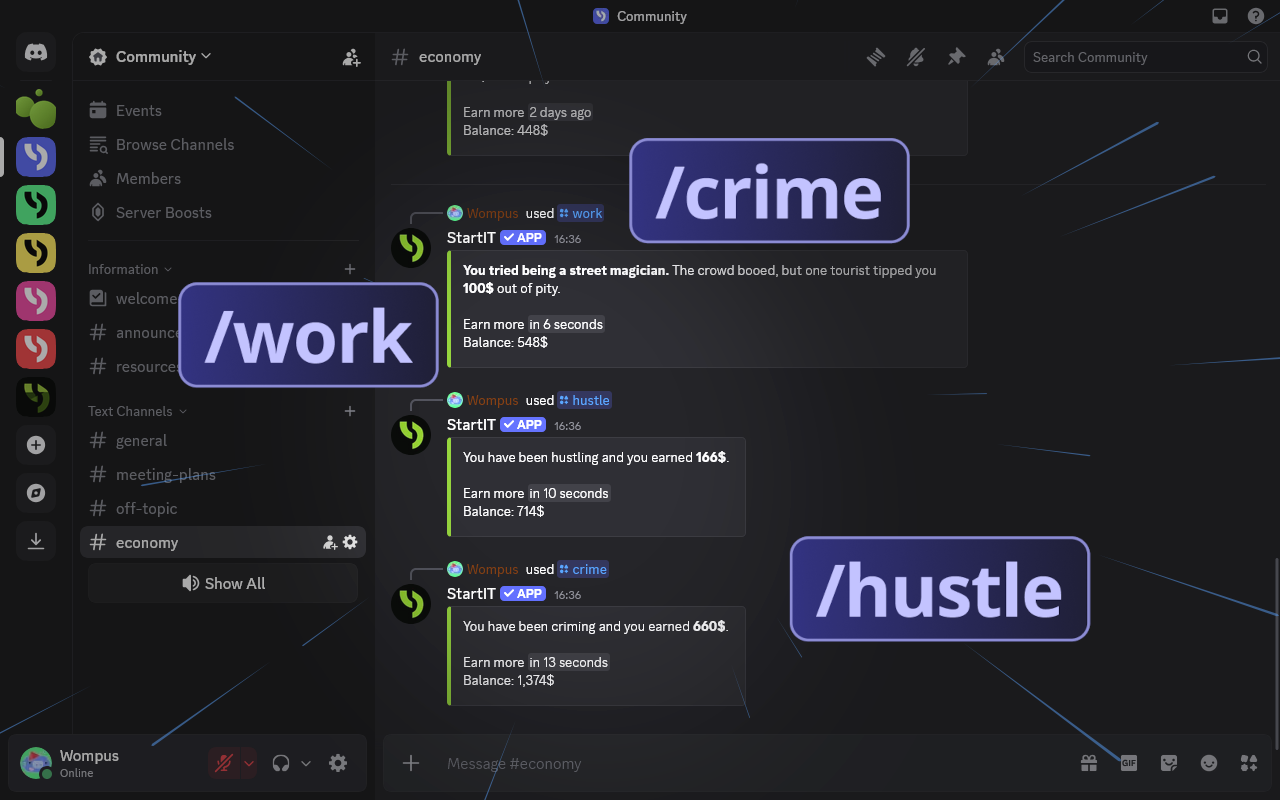
Once the bot is on your server, configuring /work, /hustle, and /crime is the most direct way to get your economy moving. These commands are simple to set up and give members an immediate way to earn currency.
ATTENTION
This guide assumes you already have the StartIT bot on your server.
If you’re getting started, check out our initial setup guide first.
Now that you’ve set up the basic economy configuration on your server, it’s time to give it some depth. In this guide, we’ll show you how to set up money-making commands that your users can trigger themselves. It’s a simple yet incredibly engaging way to motivate your community to visit your server regularly and stay active.
Finding Your Tools
Look for the money-making commands section in your Economy plugin. There are several different commands available that allow your members to earn currency. Here is a brief overview of what each one does:
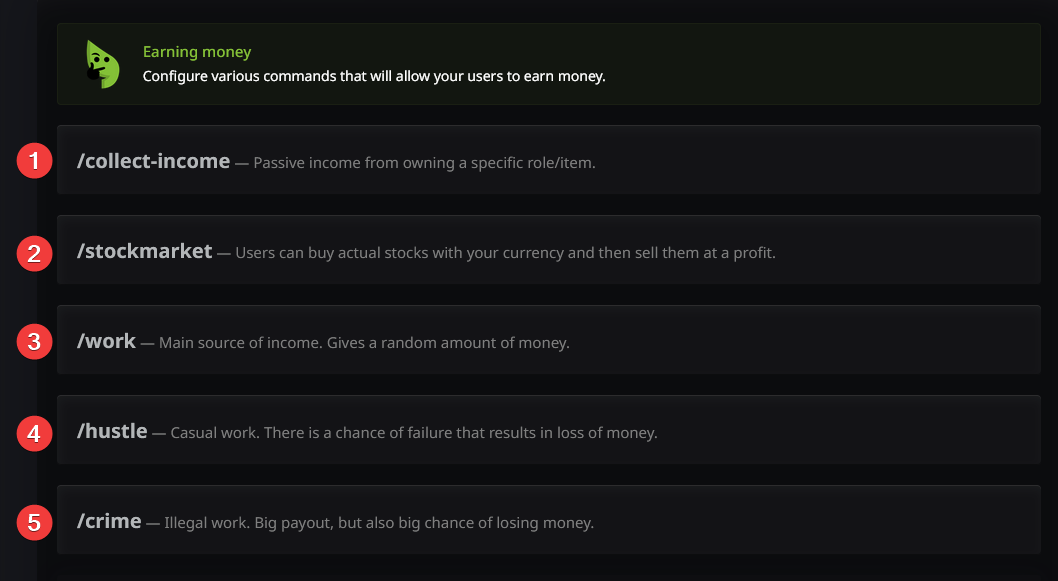
- /collect-income: Allows users to claim monetary rewards at set intervals for holding specific roles or items. This is passive income that only requires the user to remember to claim it.
- /stockmarket: Simulates a real-world stock exchange. Users can buy shares using server currency based on pre-set rates. You can find the stock list here: https://startit.bot/stocks
- /work: The most fundamental earning command. Upon typing it, the user receives a random amount of money from a predefined range. We recommend a 4-hour cooldown to start.
- /hustle: Works similarly to
/workbut carries a risk of failure. If the "hustle" fails, the user actually loses some of their money. - /crime: The high-stakes option. It offers the largest potential payouts but comes with a very high failure rate and severe penalties.
Our bot comes with default configurations for these commands that are pre-balanced and carefully thought out. While you can customize every rule, balancing an economy from scratch can be tricky for beginners!
Adjust Economy to your needs
You can click on each command to open its detailed settings panel. Let’s start with the most basic commands: work, hustle and crime
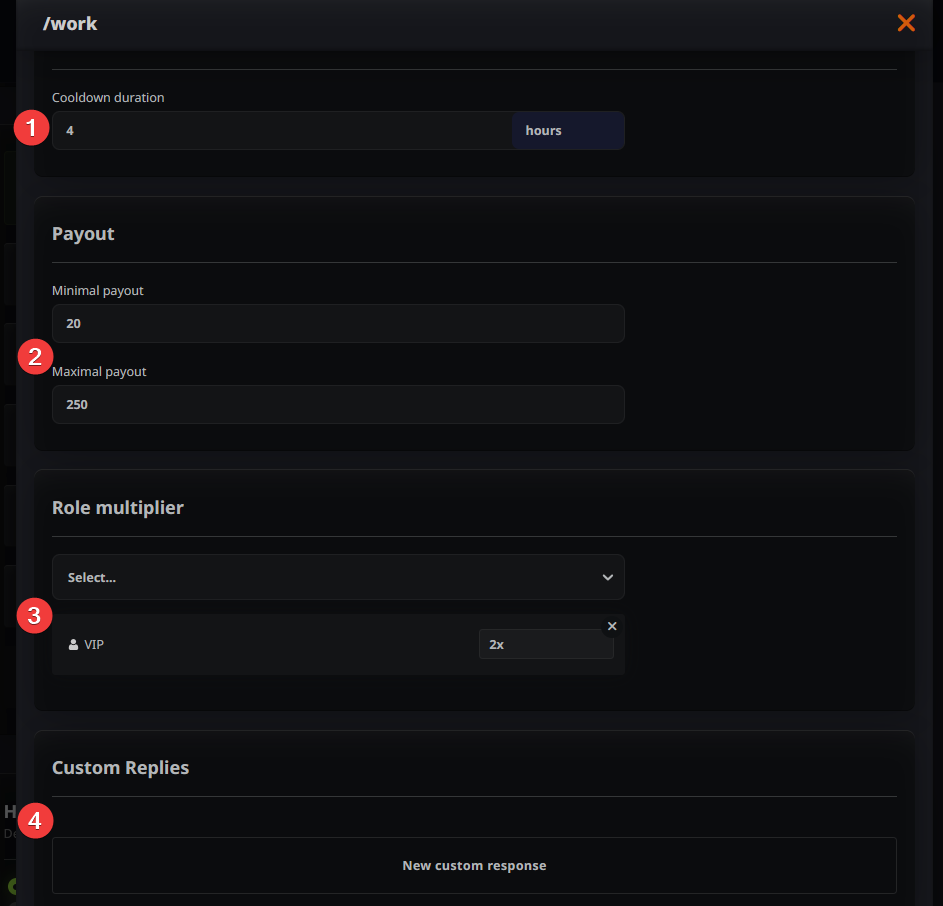
Configuring /work
This is your bread-and-butter command. It has no special requirements and simply provides a random (or fixed) amount of money.
- Cooldown (1): How often the command can be used. Think carefully—if it's too short, it may cause hyper-inflation or become tedious for users.
- Payout Range (2): Set the minimum and maximum earnings. If you want a fixed salary, set both numbers to the same value.
- Role Multipliers (3): If you want specific roles to earn more, set it here. For example, entering
2xmeans that role earns double the standard rolled amount. - Custom Replies (4): See the section below.
Default command appearance:

Custom Replies
You can write your own flavor text for your commands to increase immersion and make your server unique. If the server's atmosphere allows it, come up with some funny messages.
We have great article covering 100 ideas for work, hustle and crime command here:
 StartIT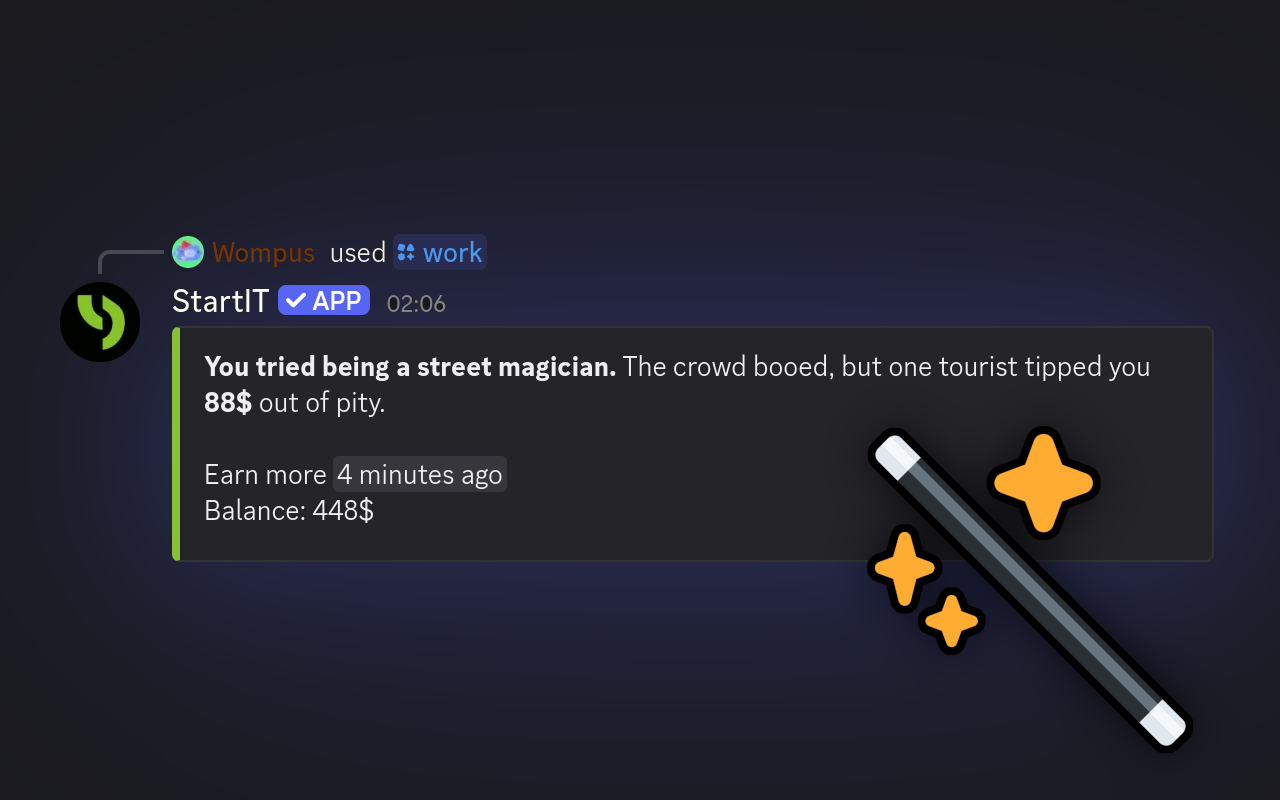
Configuring /hustle
This represents "side gigs" that offer higher rewards but involve risk. It adds a layer of excitement without being devastatingly punishing.
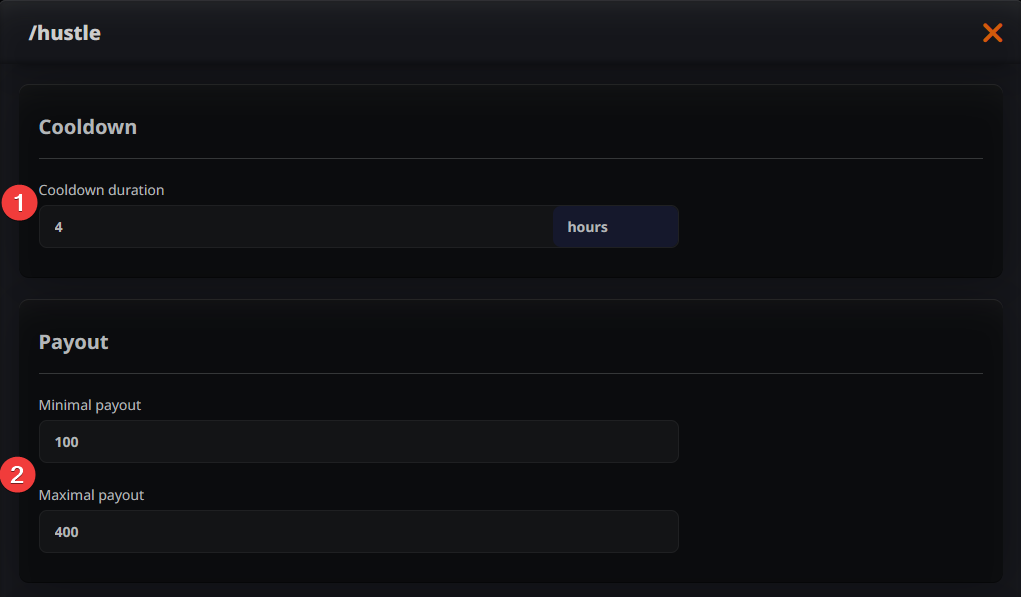
- Cooldown (1): Ideally the same as
/workor slightly longer, so users can "work" to recover their losses if they have a streak of bad luck. - Payout Range (2): We recommend this be at least twice as high as the
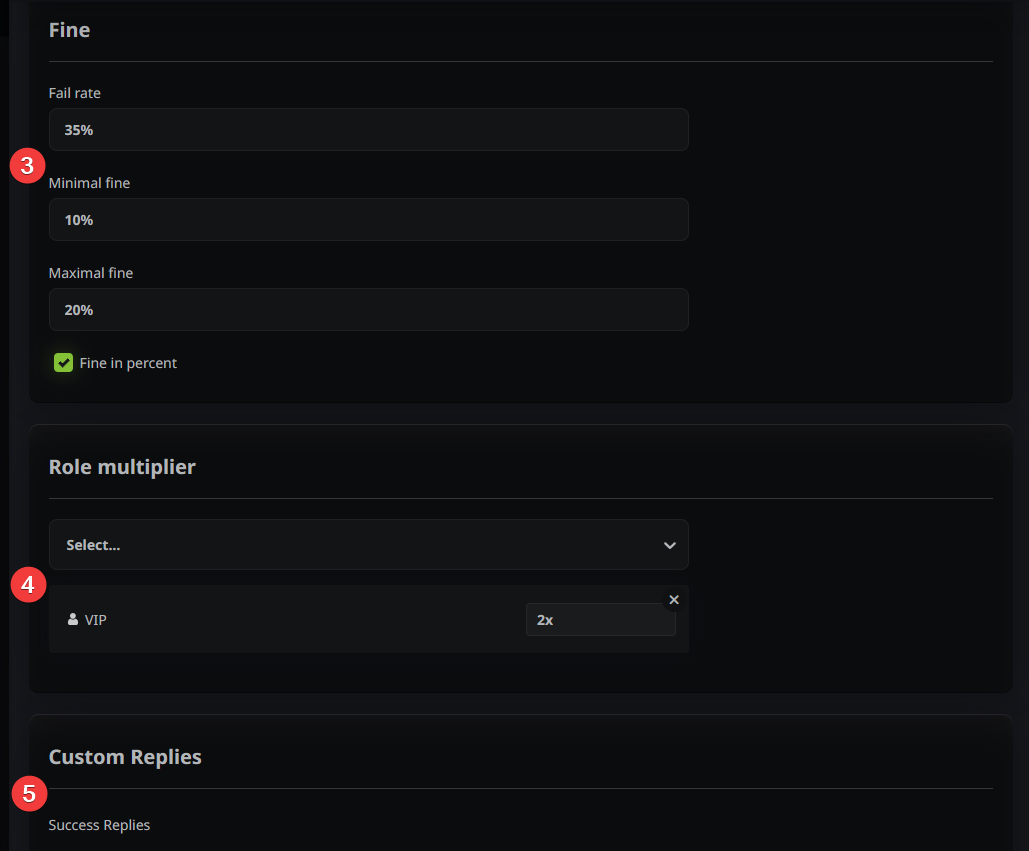
/workcommand to make the risk worth it. - Fine Amounts (3): You can set a variable penalty range. If you want the penalty to stay relevant for rich players, set it as a percentage of the net income.
- Role Multipliers (4): Boost earnings for specific roles. This is especially important if you've set percentage-based penalties. Let wealthy players players earn more so that the high penalties are worth the risk.
- Custom Replies (5): You can set up custom messages that suggest what tasks the user has completed and, in the case of failed tasks, why they failed.
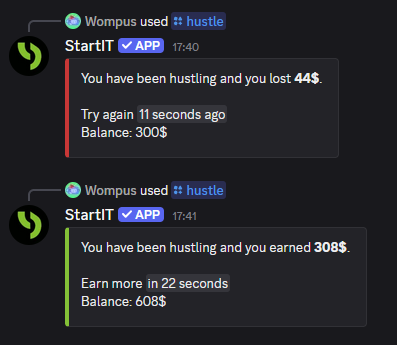
Default command appearance:
Configuring /crime
The highest risk, highest reward. Use the cooldowns here to ensure users don't go into too much debt—unless you’re aiming for complete server chaos!
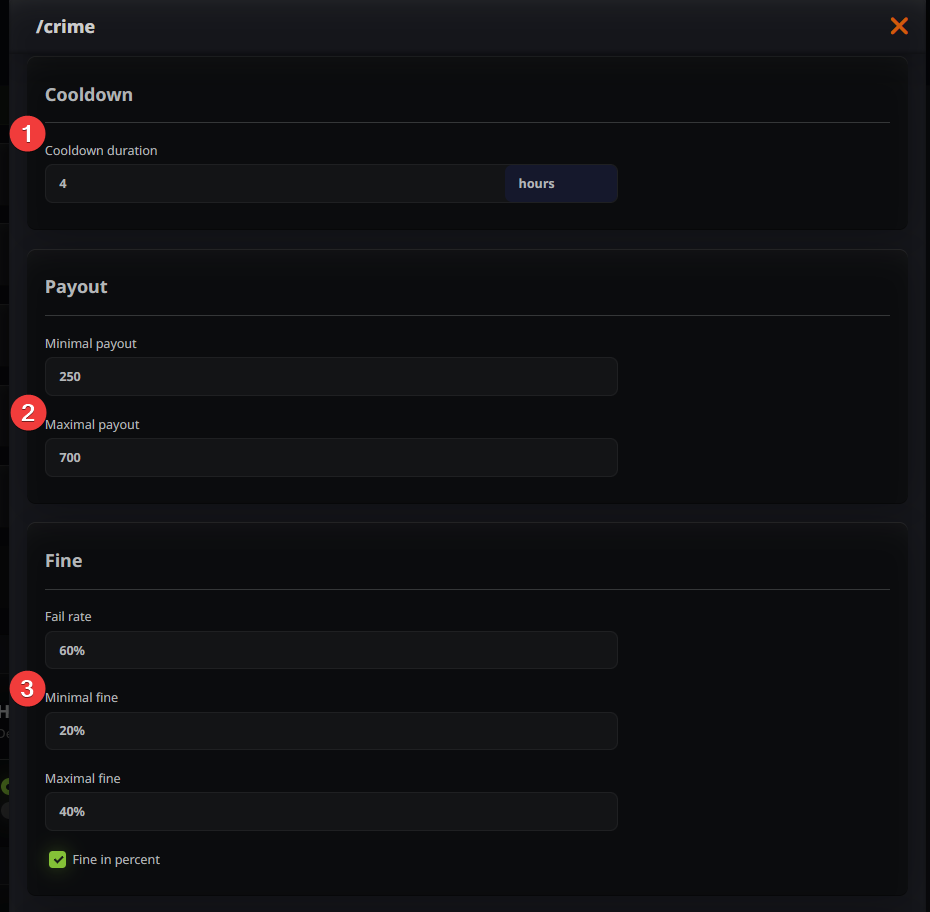
- Cooldown (1): Same as or longer than
/work. - Payout Range (2): This should be 3-4 times higher than
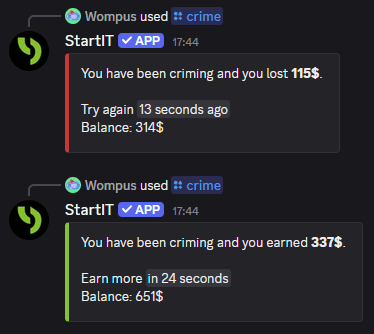
/workto incentivize the gamble. - Failure Chance (3): We recommend keeping the failure rate above 50%. Penalties should be severe, and using percentage-based fines is the best way to keep the stakes high for everyone.
- Customization (4, 5): Like other commands, you can add custom role multipliers and unique response messages.
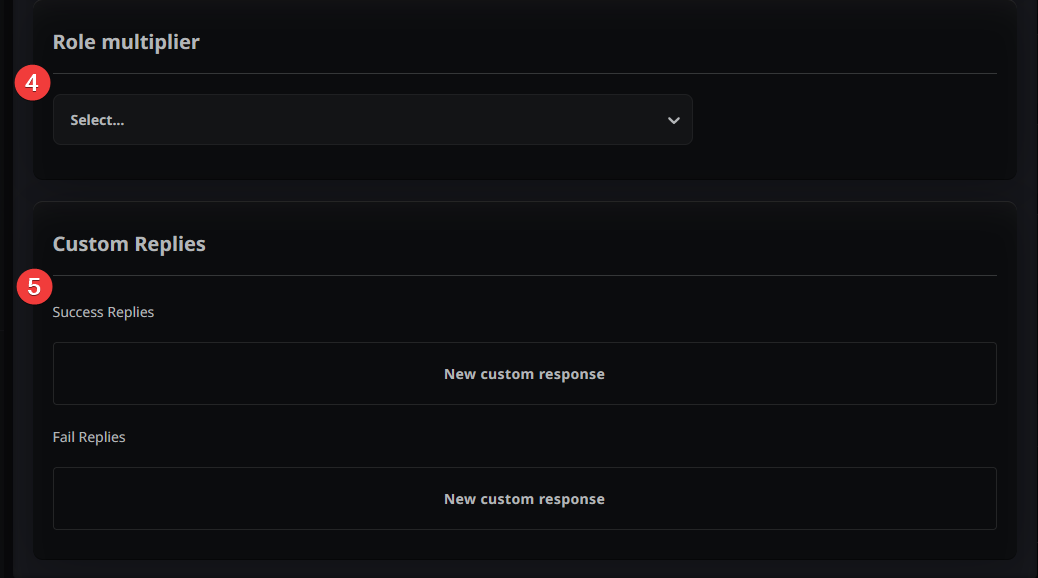
Default command appearance:
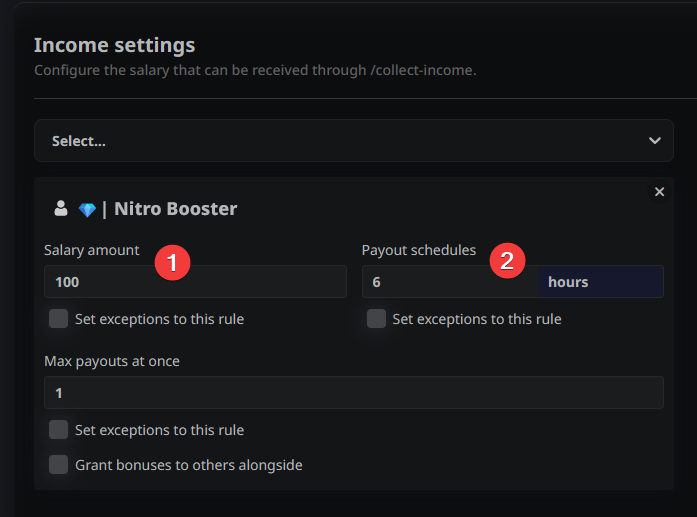
Configuring /collect income
To set this up, you first need to create the roles that will grant passive income.
- Salary Amount (1): The reward for a single payout.
- Payout schedules (2) How often the user can claim the amount set below.
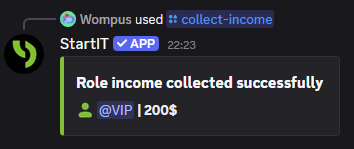
The /collect-income message will look like this:
If you are interested in more options check out our article about how to configure /collect-income command:
 StartIT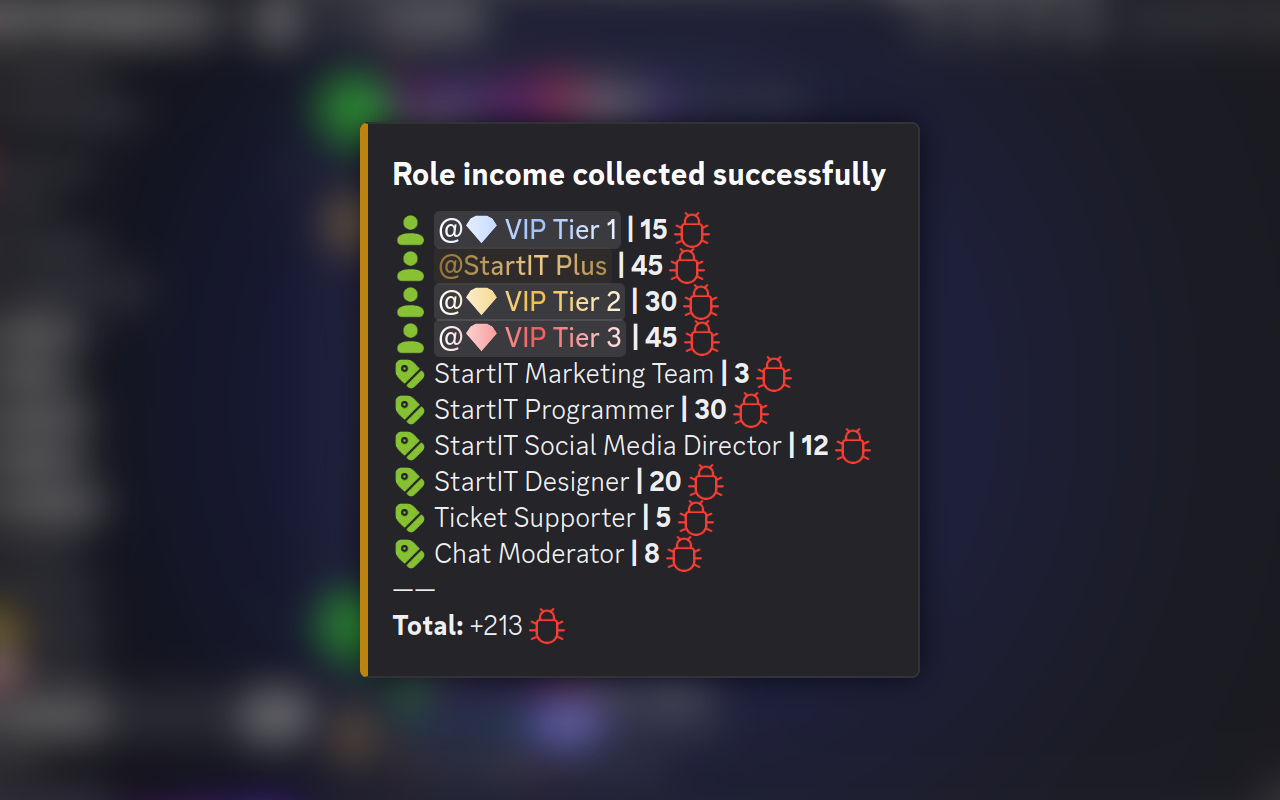
Configuring /stock market
By integrating the Stock Market system, you aren’t just giving users a way to spend virtual cash. You’re giving them a reason to check your server every time the real-world market moves.
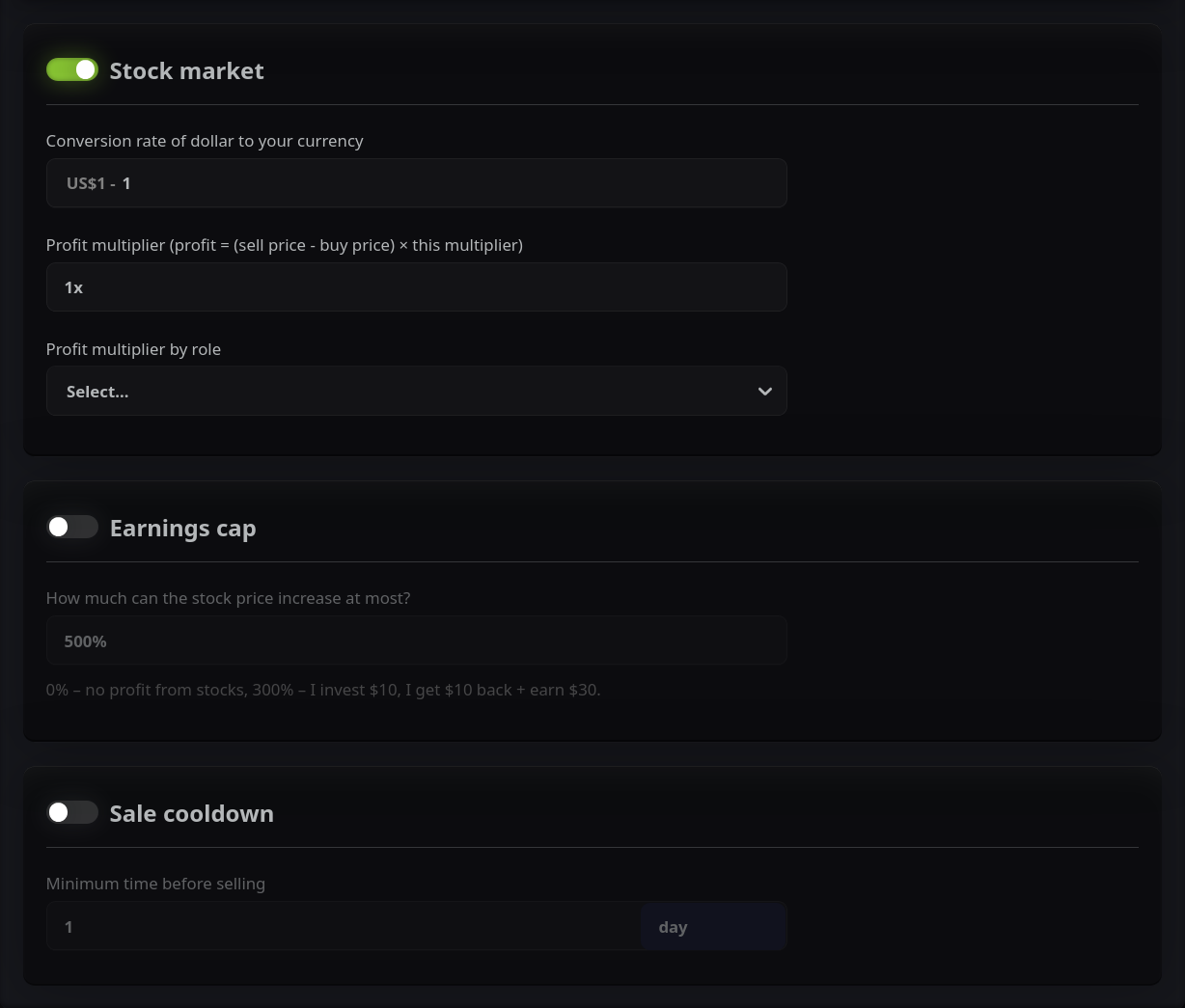
We have great article covering stock market configuration here:
 StartIT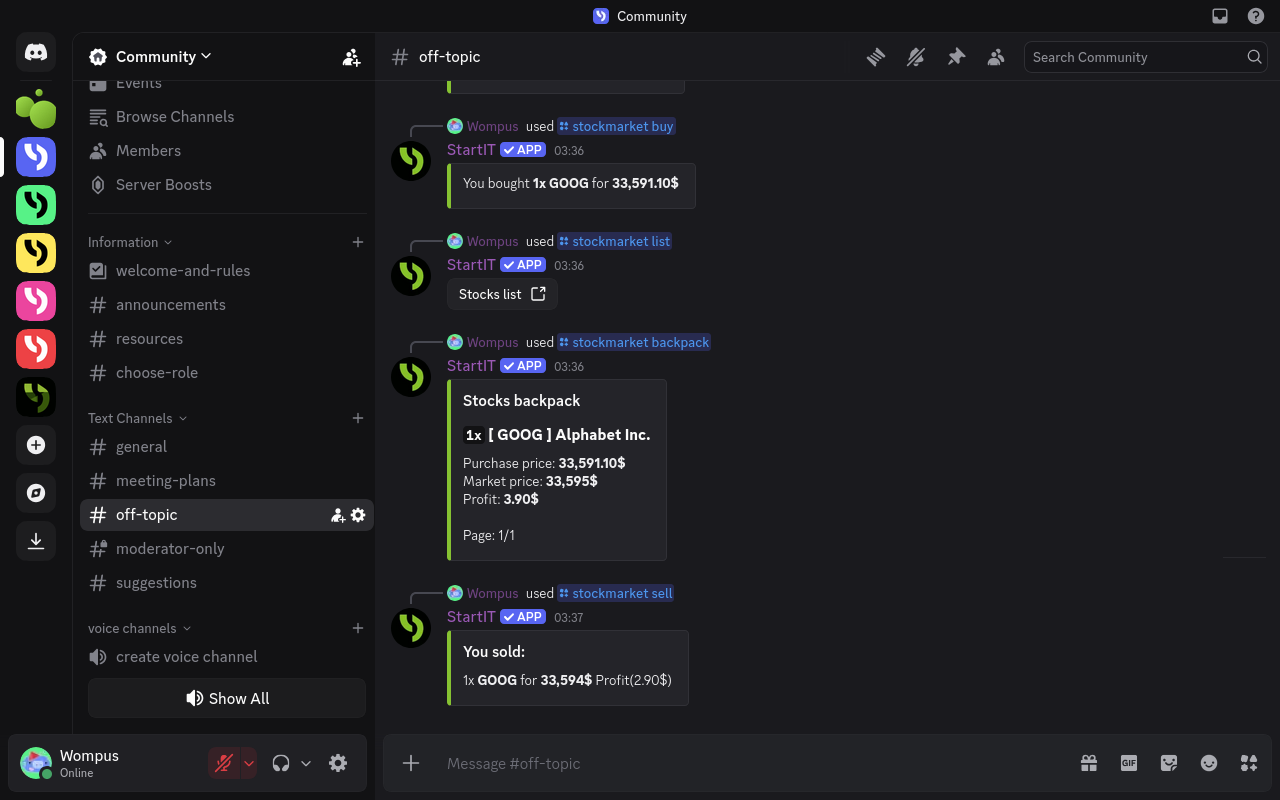
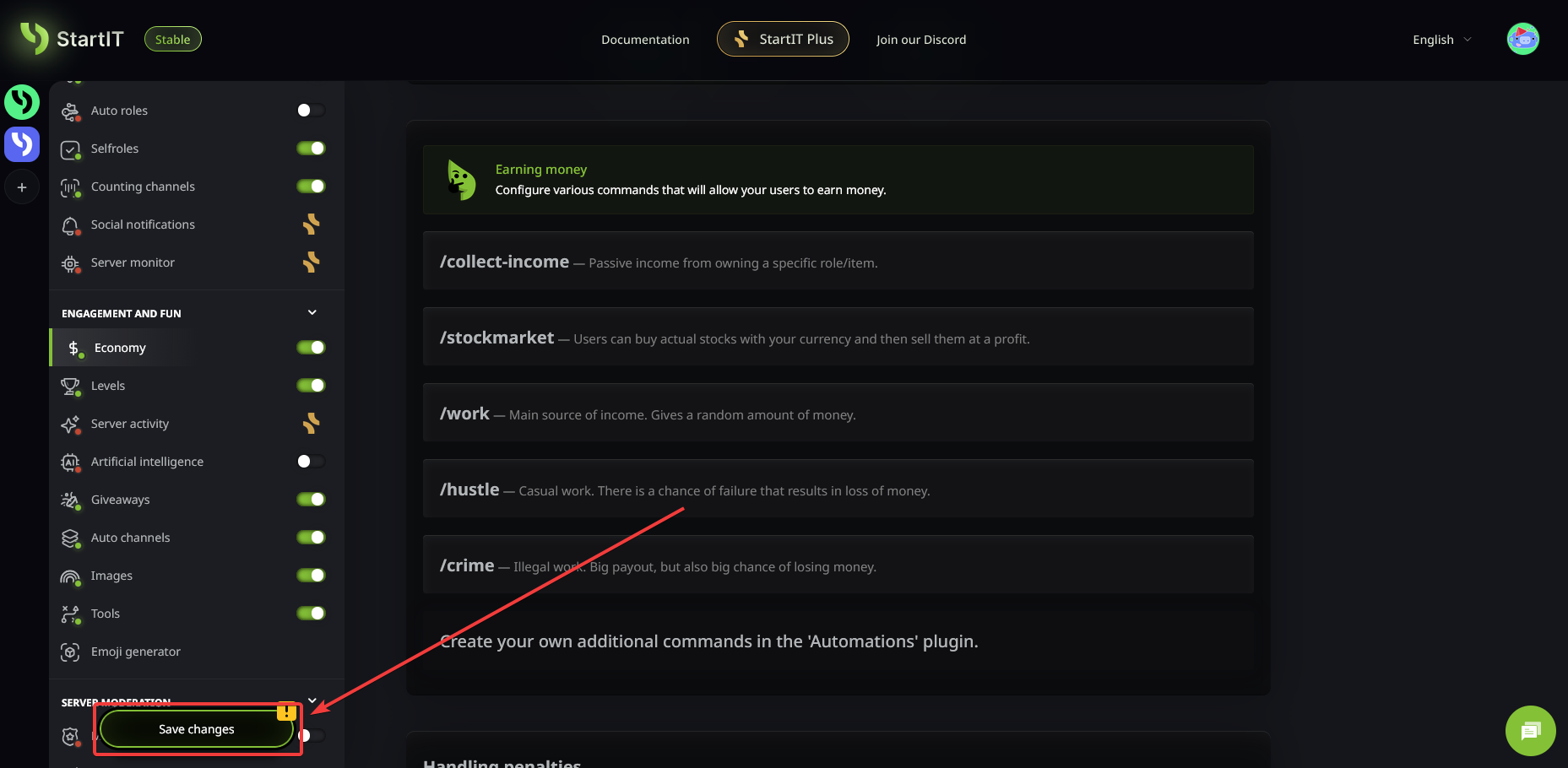
Save Your Progress!
Don't let your hard work go to waste—always hit save after adjusting your economy settings.
Common Issues & FAQ
A user lost a lot of money and has a negative balance. Is this normal?
Yes! This represents debt. It prevents users from abusing the high-risk systems without consequences. If someone falls deep into debt, they won't be able to buy items until they work it off. To help them recover, keep the /work cooldown relatively short and the /hustle or /crime cooldowns longer. This ensures there's always a safe way to climb back to the top!
What happens if a user goes bankrupt?
If a user hits a negative balance and stays there, they are effectively "locked out" of the fun stuff. You should encourage them to use the /work command, which (in our bot) should always be a "safe" command with no risk of losing money. It’s their ladder back to financial stability!
How do I prevent 'Inflation' from ruining the server?
Inflation happens when there is too much money circulating and nothing to spend it on. To keep your economy healthy, you need things that remove currency from the system forever, such as:
- A server shop with consumable items.
- Custom roles that have a high purchase price.
- High failure penalties in the
/crimecommand.
Can I stop users from using 'Alt Accounts' to farm money?
Stopping users from using secondary accounts to "farm" money is a top priority for a balanced economy. Here are two powerful ways to handle it:
Enable Transaction Logging: In your dashboard, you can enable detailed logging. This allows you to track every move. If you see one account constantly sending money to another, or multiple accounts with suspiciously similar activity, you can step in and take action.
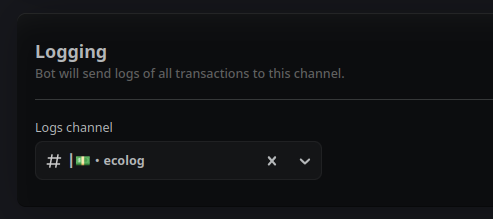
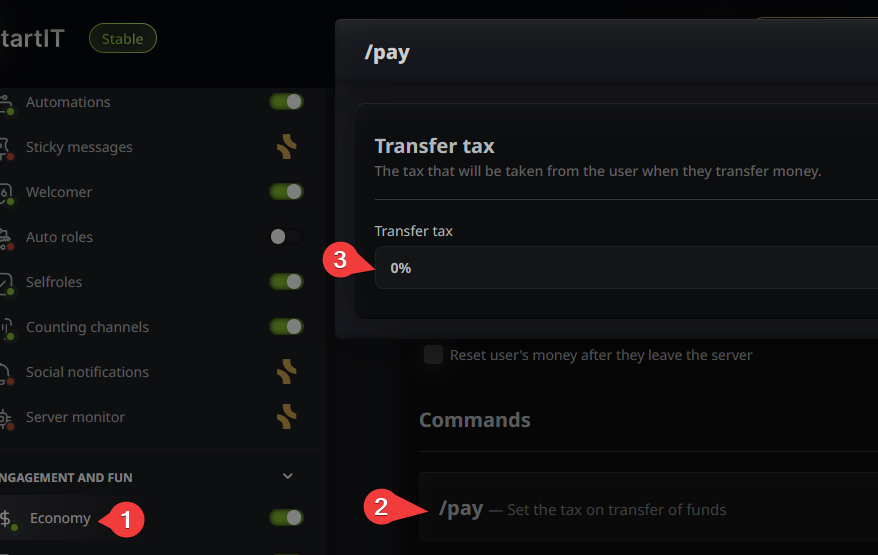
Implement a /pay Tax: One of the most effective deterrents is adding a tax to the /pay command. By setting a transfer fee (e.g., 20% or higher), you make it much less profitable for someone to farm money on an alt account just to send it to their main. It adds a "friction cost" that usually makes farming more trouble than it's worth.
Go to Economy tab (1), find the /pay command configuration (2) and set Transfer tax (3) in the pop-up:
Should I periodically 'Wipe' the economy?
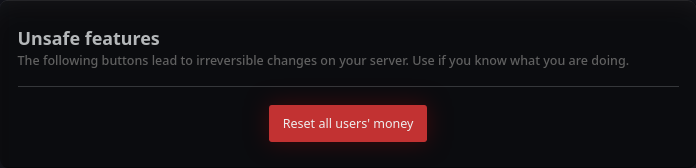
A "Season Reset" can actually be very healthy for a server! It gives new members a chance to reach the top of the leaderboard. If you decide to do a wipe, we recommend giving the top 3 players a legacy role or a special badge so their hard work is still recognized in the next season.
You can reset server economy using buttons at the bottom of the Economy page:
How do I set the right prices for my Shop?
A good rule of thumb is the "Hourly Wage" calculation:
- Calculate how much a player earns on average in one hour of active play.
- If an item is meant to be "Rare," it should cost about 10–20 hours of play.
- If it’s a "Common" item, it should cost about 15–30 minutes of play.
Can I create 'Jobs' that are only for certain roles?
Absolutely! While you can use multipliers on /work, the /collect-income command is actually the best tool for this.
Because /collect-income is tied directly to specific roles, you can effectively create different professions. For example, a "Senior Member" role could have a higher passive income than an "Intern" role. This creates a clear progression path for your users.
 StartIT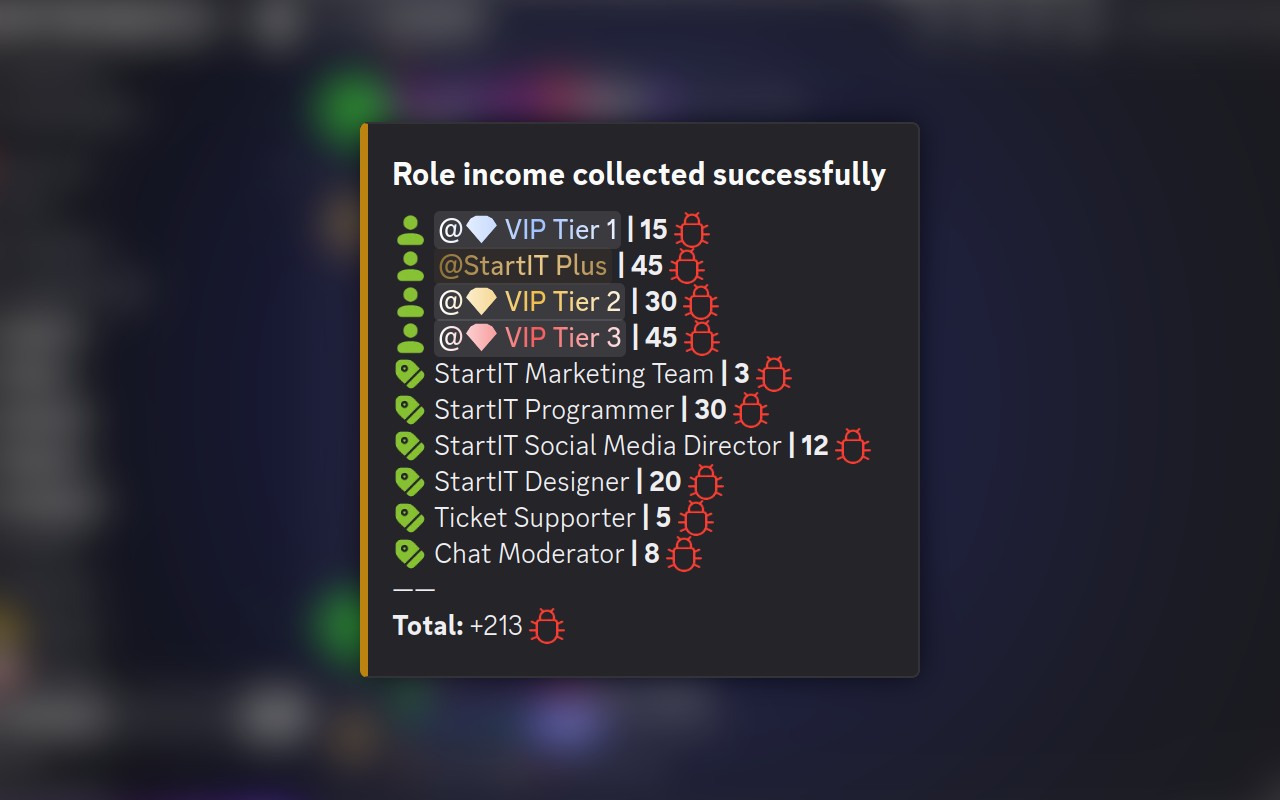
We have a full, dedicated article on setting up complex role-based income systems if you want to create a truly professional RPG-style economy.