How To Fill Discord's Privileged Intents Form as StartIT Customer
Discord requires servers that reach over 10,000 users to fill out Intent Request form for their Custom Bots. If your server has grown past that threshold, this guide is for you.
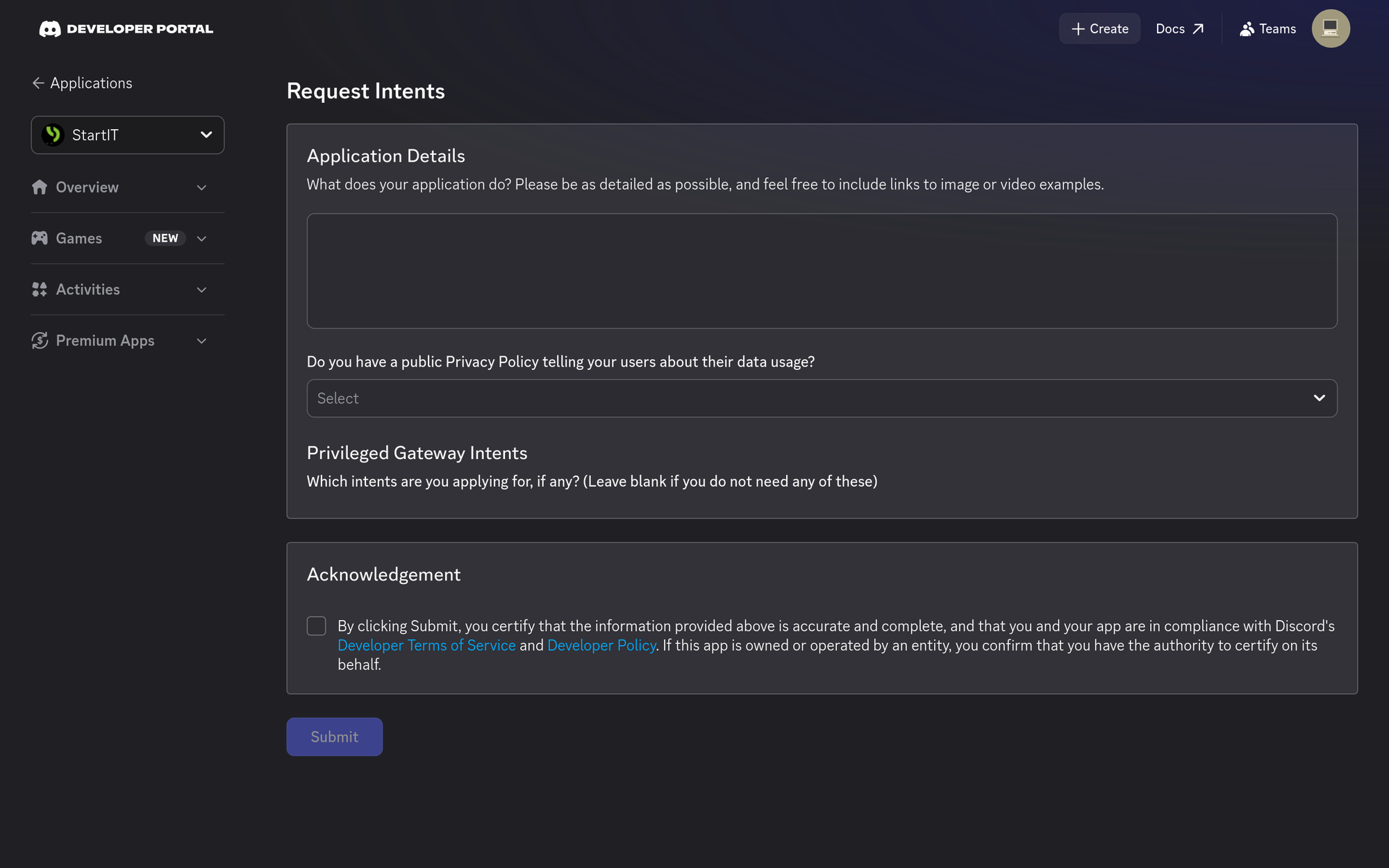
Open Request Intents form
Head to the Developer Portal, and select your Custom Bot's application.
If you don't see form yet, click through the intent-request alert (or navigate to it directly via the Bot tab) to reach the Request Intents form.
Fill the form accordingly:
Application Details
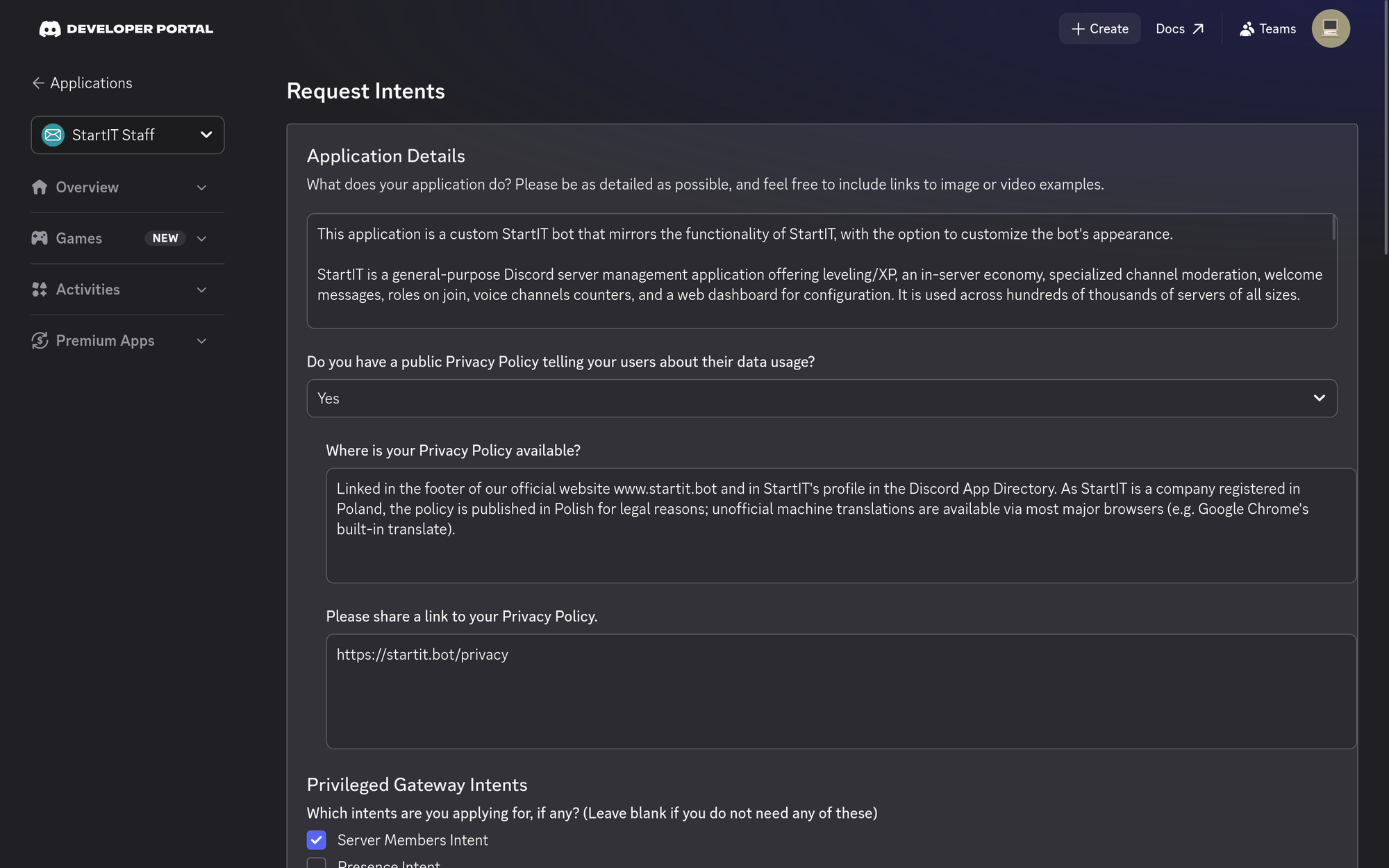
What does your application do?
🤖 Application Details
This application is a custom StartIT bot that mirrors the functionality of StartIT, with the option to customize the bot's appearance.
StartIT is a general-purpose Discord server management application offering leveling/XP, an in-server economy, specialized channel moderation, welcome messages, roles on join, voice channels counters, and a web dashboard for configuration. It is used across hundreds of thousands of servers of all sizes.
Core features include:
- Leveling/XP with anti-abuse protection: Users earn XP for sending messages. To prevent XP farming, the bot checks each message against a short-lived, in-memory record of that user's last few messages (kept only for a few minutes, then discarded) to detect spam/duplicate content and exclude it from XP rewards.
- Custom moderation rules, configured per-server via our dashboard: AntiCaps, AntiEmoji, and AntiSpoiler count occurrences of uppercase letters, emoji, and spoiler tags in each message and block it once a configurable per-server threshold is exceeded. AntiFlood detects and removes messages containing an arbitrary character repeated in sequence (e.g. "aaaaaaaafgdfg"). AntiInvite resolves any Discord invite link found in a message via the Discord API and removes it unless the invite's destination server is on an admin-configured whitelist of servers the community permits advertising.
- Image-only channels: admins can restrict a channel so that only messages containing an image attachment are allowed; non-qualifying messages are automatically removed.
- Welcomer and Roles on join: New members receive a welcome message and/or an automatically assigned role immediately upon joining.
Do you have a public Privacy Policy telling your users about their data usage?
Yes
Where is your Privacy Policy available?
Linked in the footer of our official website www.startit.bot and in StartIT's profile in the Discord App Directory. As StartIT is a company registered in Poland, the policy is published in Polish for legal reasons; unofficial machine translations are available via most major browsers (e.g. Google Chrome's built-in translate).
Please share a link to your Privacy Policy.
https://startit.bot/privacy
Privileged Gateway Intents
Which intents are you applying for, if any?
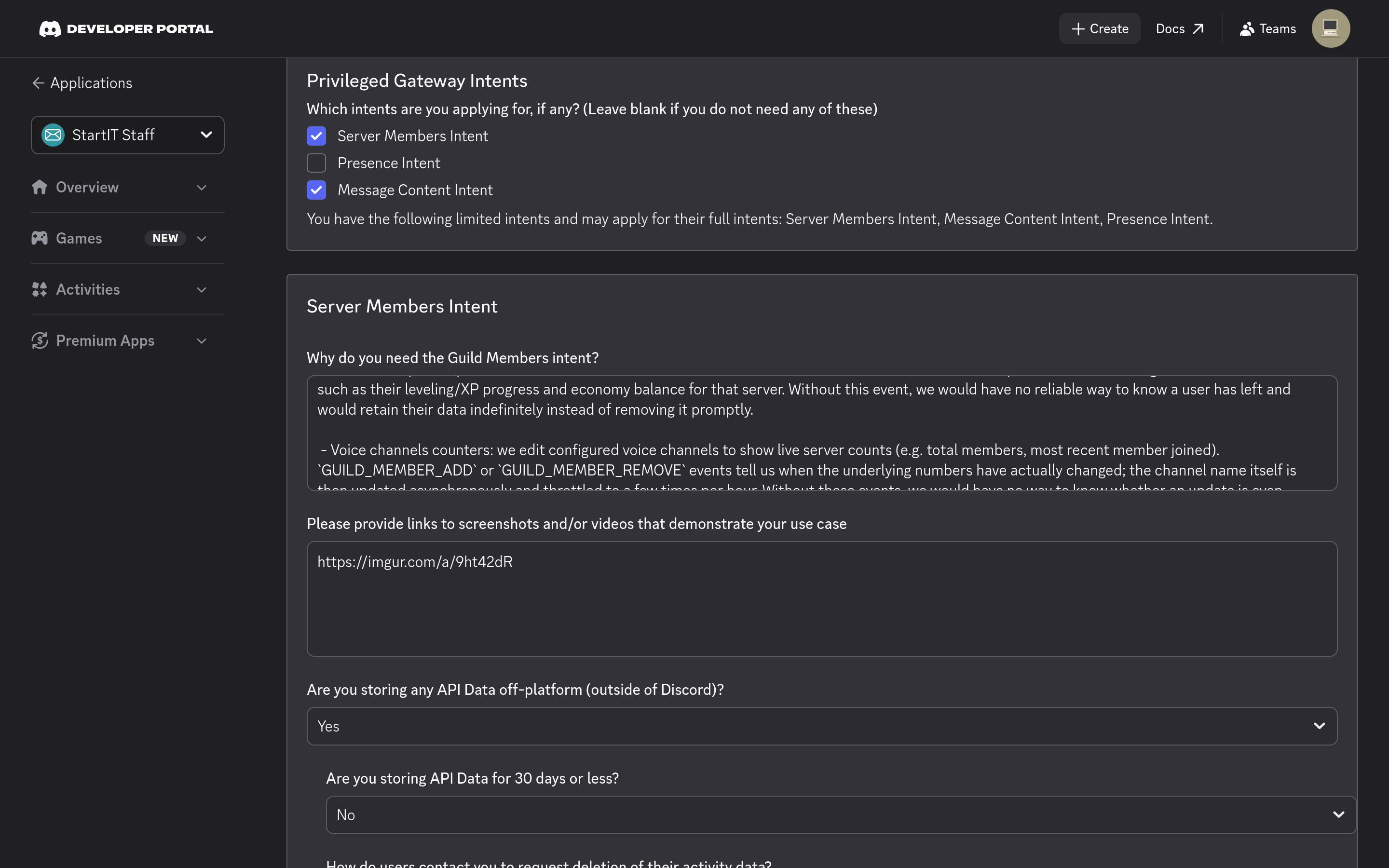
✅ Server Members Intent — Checked!
⬜ Presence Intent — Unchecked
✅ Message Content Intent — Checked!
Server Members Intent
Why do you need the Guild Members intent?
😀 Server Members Intent
We use this intent for four real-time, event-driven features that cannot be replaced with on-demand REST lookups:
- Welcomer: sends a configurable welcome message the moment a new member joins, using the `GUILD_MEMBER_ADD` event. Fetching member data via the Get/Search Guild Member endpoints only works when we already know which user to look up — it cannot proactively notify us that a new member has arrived.
- Roles on join: assigns a configured role to a member automatically at the moment they join, also via `GUILD_MEMBER_ADD`. This must happen immediately on join, not on-demand when a user later interacts with the bot, so interaction-provided member data (available only after a slash command/component use) does not cover this case.
- Data cleanup on departure: we use the `GUILD_MEMBER_REMOVE` event to delete that user's server-specific data we no longer have a reason to retain, such as their leveling/XP progress and economy balance for that server. Without this event, we would have no reliable way to know a user has left and would retain their data indefinitely instead of removing it promptly.
- Voice channels counters: we edit configured voice channels to show live server counts (e.g. total members, most recent member joined). `GUILD_MEMBER_ADD` or `GUILD_MEMBER_REMOVE` events tell us when the underlying numbers have actually changed; the channel name itself is then updated asynchronously and throttled to a few times per hour. Without these events, we would have no way to know whether an update is even needed and would have to poll server member count on a timer instead, adding unnecessary request volume and CPU load on both Discord and our servers.
Please provide links to screenshots and/or videos that demonstrate your use case
https://imgur.com/a/9ht42dR
Are you storing any API Data off-platform (outside of Discord)?
Yes
Are you storing API Data for 30 days or less?
No
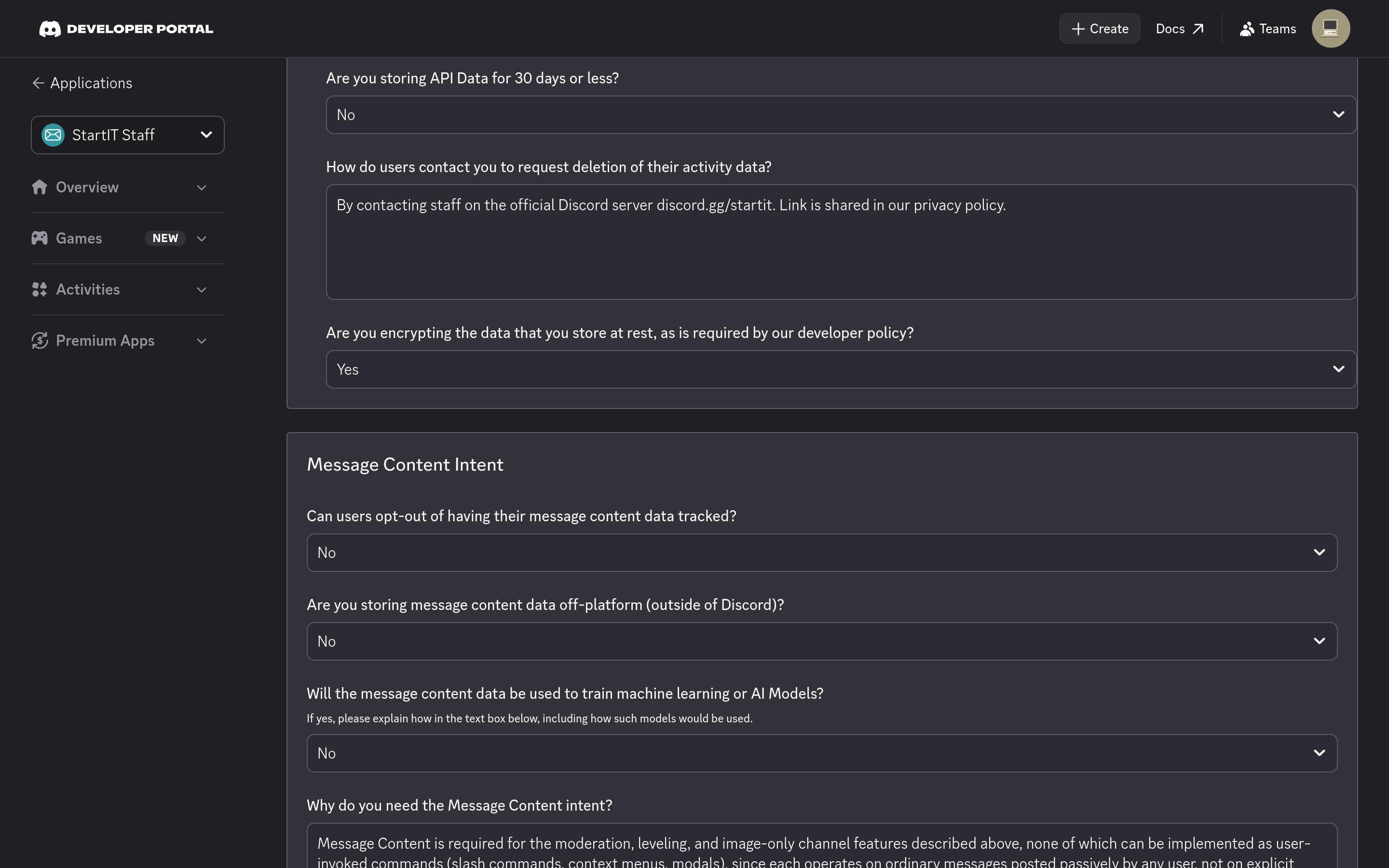
How do users contact you to request deletion of their activity data?
By contacting staff on the official Discord server discord.gg/startit. Link is shared in our privacy policy.
Are you encrypting the data that you store at rest, as is required by our developer policy?
Yes
Message Content Intent
Can users opt-out of having their message content data tracked?
No
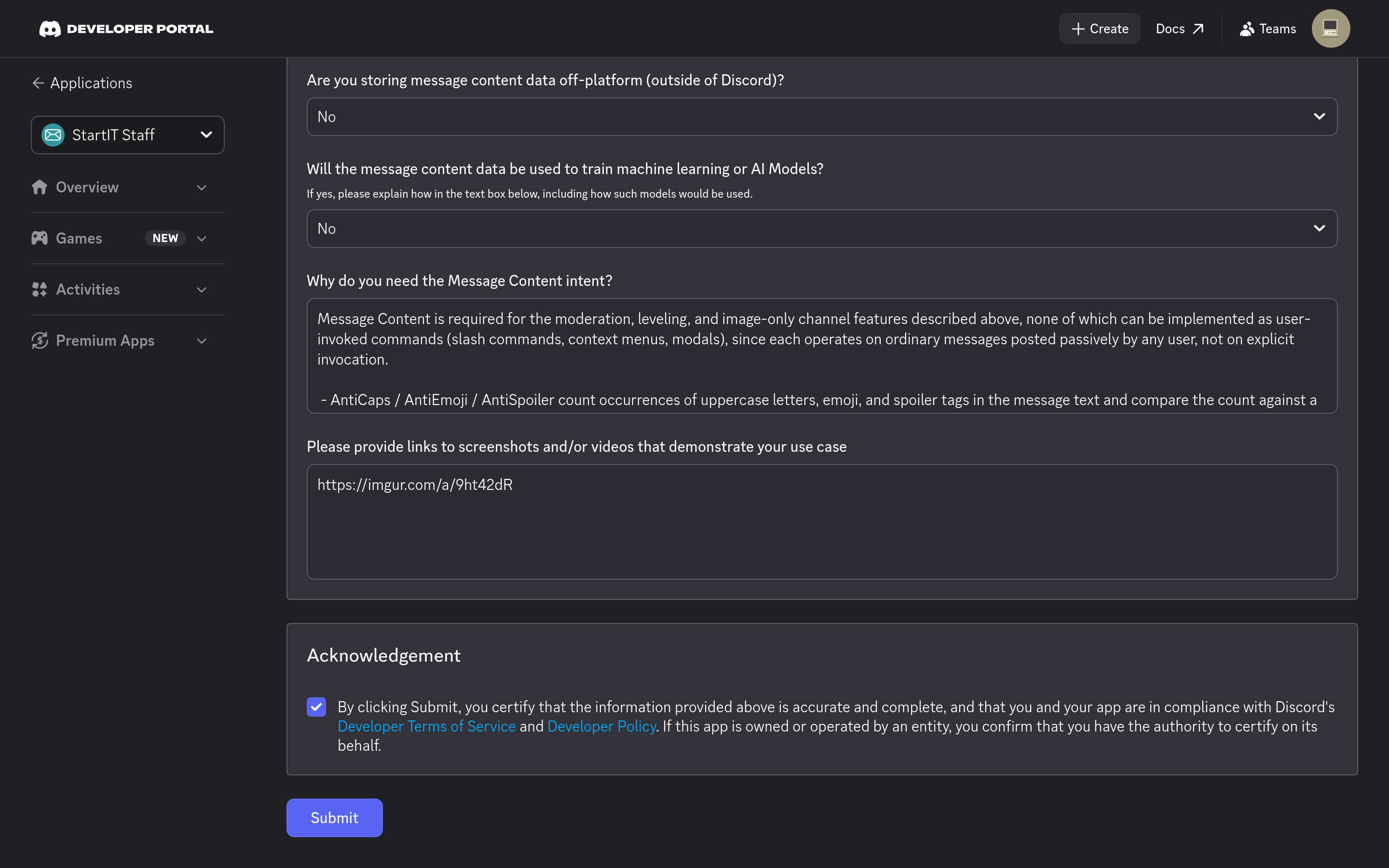
Are you storing message content data off-platform (outside of Discord)?
No
Will the message content data be used to train machine learning or AI Models?
No
Why do you need the Message Content intent?
📋 Message Content Intent
Message Content is required for the moderation, leveling, and image-only channel features described above, none of which can be implemented as user-invoked commands (slash commands, context menus, modals), since each operates on ordinary messages posted passively by any user, not on explicit invocation.
- AntiCaps / AntiEmoji / AntiSpoiler count occurrences of uppercase letters, emoji, and spoiler tags in the message text and compare the count against a per-server configurable threshold — this requires reading the full text of every message to compute the ratio, not just detecting the presence of a pattern. Messages exceeding the threshold are removed, and the user is notified of the violation.
- AntiInvite extracts any Discord invite link found in the message and resolves it via the Discord API to identify its destination server, removing the message unless that server is on an admin-configured whitelist. Unlike a static keyword or link-pattern rule (the kind Discord built-in AutoMod evaluates), this depends on a live API call made at message time, since the destination server isn't known until the invite is resolved.
- Image-only channel enforcement reads the attachments field to check whether a qualifying image was included; without this intent, that field is empty regardless of what was actually attached, so the check cannot be performed at all.
- XP anti-abuse compares each new message's text against a short-lived, in-memory cache of that same user's last few messages to detect spam/duplicate content before awarding XP.
As shown above, each of these rules runs on every message in the channel rather than ones directed at the bot, reading, counting, or resolving live content rather than matching a fixed pattern — which is why the Message Content exceptions (bot mentions, replies, DMs) don't cover this use case, and why these rules go beyond what Discord's built-in AutoMod can express.
Please provide links to screenshots and/or videos that demonstrate your use case
https://imgur.com/a/9ht42dR
Acknowledgement and Submit
Read the acknowledgement, check the box, and press Submit.
✅ By clicking Submit, you certify that the information provided above is accurate and complete, and that you and your app are in compliance with Discord's Developer Terms of Service and Developer Policy. If this app is owned or operated by an entity, you confirm that you have the authority to certify on its behalf.
Permission to submit this application on your Custom Bot is granted solely for the purpose of running StartIT as our paying customer. This authorization is void if the application is used to run any code, bot, or functionality other than StartIT including unrelated software deployed under the same Developer Portal application.
Final look
What Happens Next?
Your bot continues functioning normally while your submission is under review.
Most users get response in about two weeks. But we cannot guarantee that.
If you get positive response, Discord will notify about the next review in a year.
If it's denied, you will get an email, sometimes with a window to revise and resubmit. If that happens on your Custom Bot, reach out to us and we'll help sort it out.
We highly recommend sending your representative to our Discord server (discord.gg/startit), we answer questions and inform about important changes there.